Gotham Sports
- 1.9
- Rating
- 100.00K
- Installs
- Free
- Price

 Analysis by App-foxy
I approached Gotham Sports as a practical question rather than a simple download recommendation: does one New York sports app make following several teams easier, or does it add another layer between you and the information you actually need? After spending time with it, my answer is mixed but useful. This is a free sports app from Gotham Advanced Media and Entertainment, LLC, aimed at bringing New York sports coverage into one place. That focus is its clearest reason to exist, but it also means the app makes more sense for a particular kind of fan than for someone who only follows one team or wants a completely neutral sports dashboard.
The app is listed for Everyone and runs on Android devices using version 9 or later. It reached the store on October 3, 2024, and the current version is 10.15.0. Those details matter because this is a relatively focused, newer destination rather than a long-established all-purpose sports utility. I would think of it as a regional sports hub: useful when your attention moves between New York teams, less compelling when your sports life is spread across leagues, cities, and international competitions.
How I would decide whether Gotham Sports fits
My first decision criterion would be geography. If your interest is concentrated on New York sports, the app’s single-location approach can reduce the need to jump among unrelated team pages, league apps, and general news feeds. If you live elsewhere but follow one New York team casually, the benefit is smaller. You may get more value from that team’s established official channel or from a broad sports app that already covers everything else you watch.
You May Also Like

 Blood Strike: 2.5 Anniversary
Blood Strike’s Loadouts Turn Every Drop Into a Tactical Gamble
A close look at Blood Strike’s custom loadouts: how fast access to signature weapons reshapes its battle royale rhythm, rewards preparation, and narrows the gap between fights.

 Pandora - Music & Podcasts
Pandora’s Music Is Easy to Start, but Harder to Recover
Pandora’s strength is its low-effort path from a seed to a station. Its weak spot is how much confidence it asks you to place in connection, setup, and quiet recovery.

 8 Ball Pool
8 Ball Pool Is Built on Rivalries, Rematches, and Routine
A close look at the rivalries, rematches, shared routines, and unanswered safety questions that turn a quick pool match into a persistent mobile community.

 Samsung Music
Samsung Music’s Quiet Strength Is Playing What You Already Own
Its reach comes less from spectacle than from dependable access to a personal library. That simplicity is both the app’s strongest retention engine and its ceiling.

 AccuWeather: Weather Radar
AccuWeather Review: A Quick, Clear Forecast for Everyday Decisions
For everyday plans, the best forecast is the one you can understand quickly. AccuWeather makes rain timing, radar, and local conditions easy to act on, with a few trade-offs.

 Hill Climb Racing
Why Hill Climb Racing Still Turns Crashes Into One More Run
A tiny car, a bumpy hill and one more upgrade: Hill Climb Racing keeps resurfacing because its simple chaos makes every near-miss feel personal.
More From Our News Desk
View All News


The second criterion is how you consume sports information. Some people want scores and schedules only. Others want a stream of local stories, team context, and a place to return before and after games. Gotham Sports is built around the broader experience suggested by its “all in one place” positioning, so I would not judge it solely as a scoreboard replacement. The real question is whether you want a New York-centered home screen for your sports routine.
The third criterion is tolerance for friction. The average rating is 1.9 from around 2.1 thousand ratings, with roughly 1 thousand written reviews. I would not treat that number as a complete verdict on every use case, but I also would not ignore it. It tells me that reliability, usability, or expectations have been significant concerns for some people. Anyone installing it should be prepared to evaluate the day-to-day experience personally instead of assuming that a wide sports focus automatically means a smooth one.
Finally, I would consider spending. The download itself is free, which makes trying it relatively straightforward. However, in-app purchases range from about $9.99 to $309.99 per item. That is a wide range, so I would pay attention to any purchase screen and make sure I understand what an offered item provides before confirming it. For a reader who only wants basic sports information, the existence of costly purchase options may be enough reason to stay with a simpler alternative.
What the everyday experience is best suited to
Imagine a Saturday when you are checking several New York teams, moving between a morning update, an afternoon game, and an evening matchup. With separate official apps, you may need to remember which team has the schedule, news, or alerts you want. A regional hub can be more convenient because your attention stays within one sports environment. That is the strongest everyday use case I can see: not replacing every sports tool, but reducing the mental switching involved in following a city’s sports scene.
I also see value for fans whose interests change during the season. A person may follow one team closely but still want to know what is happening with other New York clubs when the main team is off. A single-city app offers a more natural browsing path than a generic feed organized around whichever story happens to be popular nationally. The trade-off is that local focus can become a limitation if your routine depends on teams outside that orbit.
There is another practical distinction: a regional app can be more useful for conversation than a bare score screen. If friends, family, or coworkers regularly discuss New York sports, opening one place to catch up across teams may help you understand the wider conversation. I would still use a dedicated source for anything where exact timing or official confirmation is critical, but Gotham Sports can serve as a convenient starting point for the day’s context.
Where this app has a meaningful advantage
The clearest advantage is concentration. Gotham Sports does not ask you to build a sports routine around a dozen unrelated destinations. Its identity is tied to New York, and that gives the experience a sharper purpose than a general sports app trying to cover every major competition equally. For a committed local fan, that focus can feel more relevant than a large feed filled with stories that have nothing to do with the teams you care about.
That focus also changes how I would use it during a busy day. Instead of opening a national sports app, filtering by several teams, and then sorting through unrelated headlines, I would begin with the local view and only move elsewhere when I needed a specialist source. This is not necessarily faster for every task, but it can be more comfortable for a fan whose priorities are already clear.
A second strength is the low barrier to testing it. Because the app is free to download and carries an Everyone content rating, it is accessible to a broad household audience. A family member who is not deeply invested in sports can explore the local coverage without committing to a subscription just to see whether the format is useful. The important caveat is that free installation does not mean every available item inside the app is free, so I would keep that distinction in mind.
A third, less obvious advantage is that the app can act as a filter for attention. General sports platforms often reward breadth, trending stories, and national narratives. That is useful when you want the biggest story in the country, but distracting when you simply want to stay current with New York teams. A narrower editorial environment may help someone avoid spending ten minutes browsing unrelated updates before finding the information they opened the app to see.
Small habits that make the choice easier
I would begin by using Gotham Sports during a normal week rather than judging it only on a major game day. A busy event can make any sports app feel valuable because your interest is already high. A regular weekday reveals whether the app gives you enough relevant material to justify keeping it installed. Check whether it fits naturally into your morning routine, commute, or pregame check-in.
I would also separate three needs: discovery, confirmation, and action. Use a regional hub for discovering what deserves attention, verify important details through the appropriate official source, and only then act on anything involving a purchase or time-sensitive plan. This workflow prevents one app from becoming the sole authority for every sports decision while still letting it serve as your convenient first stop.
Another useful test is to compare it with your current routine for one week. Count the number of times you switch between team pages, broad sports feeds, and other sources, then see whether Gotham Sports genuinely reduces that effort. The point is not whether it contains more information in theory. The point is whether its organization matches the way you personally follow New York sports.
Where a different kind of app may fit better
I would choose a team-specific official app when one club dominates your attention and you need the most direct connection to that team’s own information. A single-team tool is usually the more natural choice for someone who rarely checks other clubs. Installing a broader local hub in that situation may create extra browsing rather than saving time.
I would choose a general sports app when your interests cross cities, countries, or many leagues. Gotham Sports’ regional identity is an advantage for New York-focused fans, but it cannot be the ideal center for someone who follows teams in several markets. In that case, a broad alternative may offer a better overall dashboard, even if its local coverage feels less focused.
I would also be cautious if your main requirement is a highly dependable, minimal score utility. A simple scores-and-schedules tool can be preferable when you do not want articles, broader coverage, or purchase prompts competing for attention. Gotham Sports is easier to justify when you want a fuller local sports destination, not merely a quick glance at a result.
The low average rating is especially relevant for readers who have little patience for technical friction. I cannot turn that rating into a prediction of your personal experience, but it is a reasonable signal to keep expectations measured. If your current app already gives you reliable scores and team updates, switching only makes sense if the New York-centered organization solves a real problem for you.
What switching really costs
The first cost is attention. Any new sports app needs time to become part of your routine, and the benefit will not appear simply because it is installed. You need to decide whether it replaces an existing source, complements it, or remains a backup. I would avoid keeping several apps open for the same purpose unless each one has a clearly different role.
The second cost is trust. A sports app becomes useful only after you learn where its information fits in your decision process. For casual browsing, it may be enough to open Gotham Sports and see what is happening locally. For a time-sensitive schedule, purchase, or important event detail, I would confirm the information before relying on it. That two-step habit is sensible given the app’s modest store rating and the presence of paid items.
The third cost is financial awareness. The free price makes experimentation easy, but the in-app purchase range means I would not treat every button as part of a no-cost experience. Before switching from a free routine, inspect what the app asks you to buy and whether that purchase is actually relevant to your use. If all you want is casual local sports browsing, you may never need to spend anything; if you are considering a premium item, read the offer carefully rather than assuming it is essential.
There is also a cost in coverage. Moving fully to a New York-centered app may make local sports easier to follow while making non-New York interests less convenient. I would not delete a broad sports source until I had tested a complete cycle of my normal viewing habits. The best setup may be a combination: Gotham Sports for local discovery and a specialist or general alternative for everything beyond that scope.
Who should install it, and who should skip it
I would recommend trying Gotham Sports if New York teams are the center of your sports life and you want one regional starting point. It is particularly sensible for fans who regularly move between several local teams, enjoy broader sports browsing, and are willing to judge the app through actual use rather than through the store page alone. The free download lowers the risk of a trial, provided you remain alert to paid options inside the app.
I would be more hesitant to recommend it to someone who follows only one team, wants a distraction-free score screen, or already has a dependable official source. In those cases, the app’s broader local scope may not add enough value. I would also suggest skipping it if you are looking for a universal sports companion across many regions, because its New York emphasis is central to the product rather than a minor feature.
The age rating of Everyone makes it broadly approachable, but that does not remove the need for adult judgment around purchases. If children use the device, I would make sure they understand which parts are simply browsing and which actions could lead to an in-app charge. That is a practical precaution for any free app with a broad purchase range, and it matters here because the listed items extend from roughly ten dollars to more than three hundred dollars.
My recommendation after weighing the trade-offs
My recommendation is conditional but clear: Gotham Sports is worth a trial for a New York-focused fan who wants a local sports home base, not as an automatic replacement for every sports app. Its strongest idea is the concentration of regional interests in one destination. Its biggest weaknesses are the uncertainty suggested by the low average rating, the possibility of friction, and the mismatch for people whose sports interests are broader or more specialized.
I would install it, use it alongside my current source for a week, and judge it on three questions: does it help me discover relevant local coverage, does it reduce unnecessary app switching, and do its paid options stay separate from the basic experience I actually want? If the answer is yes, it earns a place in the routine. If not, a team-specific or general sports alternative will probably serve better.
In short, this is not a universal answer to sports following. It is a focused tool for people who think about New York sports as a connected scene rather than as one isolated team. That makes its audience narrower, but also gives it a reason to be installed. Choose it for regional focus, test it for reliability, and keep another source available when accuracy, wider coverage, or a simpler workflow matters more.
FAQs for Gotham Sports
01What is Gotham Sports, and what can I watch with it?
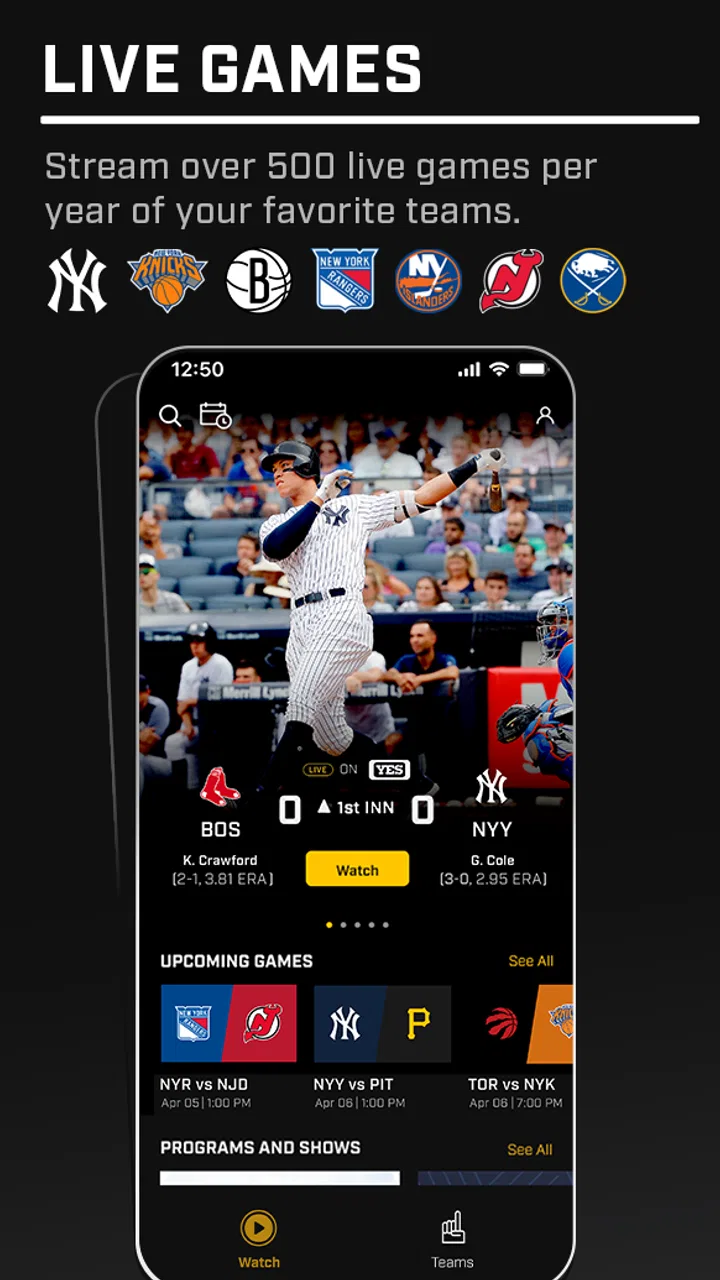
Gotham Sports is a streaming and sports-access app designed for fans who want to follow selected live games, broadcasts, highlights, schedules, and team-related content in one place. Its exact programming depends on your location, the current sports season, and the rights available to the service. Before downloading, check the listing and official website to confirm that the teams, leagues, and events you want are supported in your region.
02Is Gotham Sports free to download and use?
The Gotham Sports app may be free to download, but access to live games or premium content can require a paid subscription, an eligible television-provider account, or another form of authentication. Pricing and available plans may vary by market and can change over time. Review the subscription terms shown in the app store and inside the application, including renewal conditions, before starting a trial or completing a purchase.
03Can I use Gotham Sports to watch games outside its service area?
Availability is generally controlled by regional broadcasting rights, so Gotham Sports may not offer the same content everywhere. Some games can be restricted by blackout rules, location verification, or travel limitations. The app may use your device location or account information to determine access. If you travel, use a different network, or live outside the supported market, certain broadcasts and features may not be available.
04Which devices are compatible with Gotham Sports?
Gotham Sports is intended for supported Android and iOS smartphones or tablets, although compatibility can depend on the operating-system version, device model, and app updates. Some services also provide access through a web browser or connected television platforms, but availability is not necessarily identical across devices. Check the current Google Play or App Store requirements before installing, and keep your system updated for the best performance.
05Does Gotham Sports require an internet connection, and can I download games for offline viewing?
A stable internet connection is normally required to stream live sports and on-demand video through Gotham Sports. Wi-Fi is recommended for longer viewing sessions because high-quality video can use considerable mobile data. Depending on the version and content rights, offline downloads may not be supported, and live broadcasts generally cannot be watched without connectivity. If playback is interrupted, updating the app and checking network quality may help.
Pros
- Covers multiple New York teams in one convenient app.
- Live scores and game updates are easy to follow.
- Includes team news
- schedules
- and roster information.
- Useful for fans who want official regional coverage.
- Available on both Android and iOS devices.
Cons
- Content is mainly focused on New York-area sports.
- Some features may require a paid subscription.
- Streaming availability can vary by location and rights.
- The app may send frequent promotional notifications.
- Occasional loading issues can affect live game coverage.

Gotham Sports
Gallery